
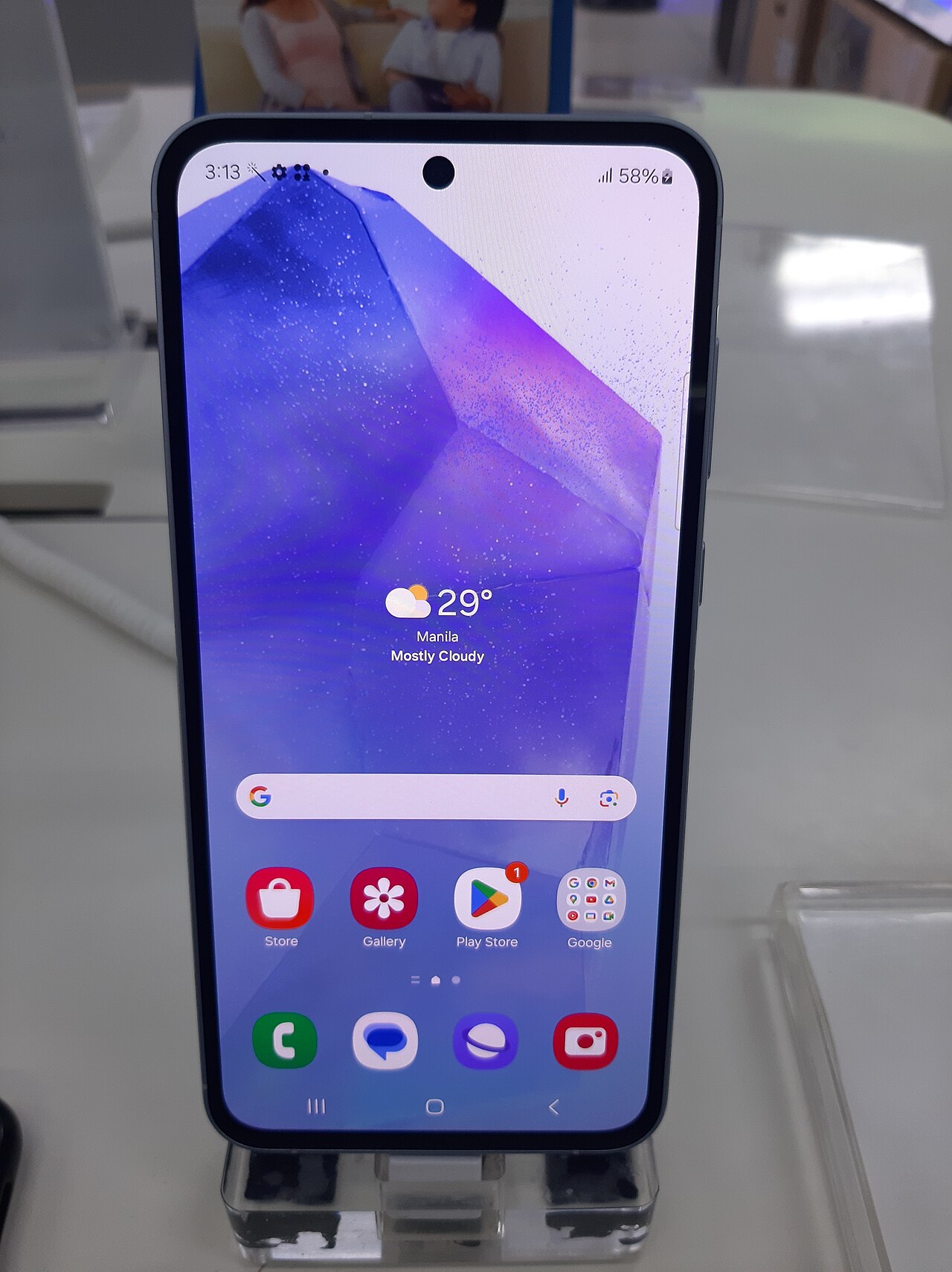
One UI 9 Beta is now available for the Galaxy A55, offering better Wi-Fi stability and enhanced performance. This update is a significant improvement for users seeking a reliable connection.
Overview of One UI 9 Beta
The One UI 9 Beta has recently garnered attention for its significant improvements, especially for users of the Galaxy A55. This latest update, now available in its third beta iteration, focuses on enhancing the device’s Wi-Fi stability, making it a highly anticipated upgrade for many users.
One of the standout features of the One UI 9 Beta is its refined network performance, which aims to provide seamless connectivity. Users have reported fewer disconnections and improved signal strength, contributing to a more reliable internet experience. This is particularly important for those who rely heavily on their devices for streaming, gaming, or video conferencing.
Additionally, the One UI 9 Beta introduces several other enhancements, including:
- Optimized battery usage
- Improved user interface elements
- Enhanced notification management
- Bug fixes from previous versions
Overall, the One UI 9 Beta represents a significant step forward for the Galaxy A55, making it a compelling choice for users seeking improved performance and stability. With ongoing feedback from the beta community, Samsung is likely to continue refining these features in future updates.
Key Features of the Update
The One UI 9 Beta brings several enhancements specifically designed to improve the user experience on the Galaxy A55. Among the most significant updates are:
- Enhanced Wi-Fi Stability: Users can now enjoy a more reliable and consistent internet connection, addressing previous connectivity issues.
- User Interface Improvements: The update features a streamlined interface that enhances navigation and accessibility, making it easier for users to access their favorite apps.
- Improved Performance: The One UI 9 Beta optimizes system performance, ensuring smoother multitasking and faster app loading times.
- New Customization Options: Users can personalize their devices with new themes, widgets, and icon designs, allowing for a more tailored experience.
- Enhanced Security Features: The update includes advanced security measures to protect user data and enhance privacy settings.
With these improvements, the One UI 9 Beta is being hailed as the best update for Galaxy A55 users, particularly those who rely on stable Wi-Fi connections for work and entertainment. This update not only addresses critical issues but also enriches the overall user experience.
How to Install One UI 9 Beta
Installing the One UI 9 Beta on your Galaxy A55 is a straightforward process, enabling users to experience the latest features and improvements firsthand. Follow these steps to get started:
- Ensure Eligibility: Before proceeding, confirm that your Galaxy A55 is eligible for the One UI 9 Beta program. Typically, this is available for users who have previously registered for beta updates.
- Backup Your Data: It is essential to back up your important data to prevent any loss during the installation process. Use Samsung Cloud or any preferred backup solution.
- Join the Beta Program: Open the Samsung Members app on your device. Navigate to the ‘Notices’ section and look for the One UI 9 Beta announcement. Follow the prompts to register.
- Check for Updates: After successfully joining the program, go to Settings > Software Update > Download and Install. If the One UI 9 Beta is available, you will see the option to download it.
- Install the Update: Once downloaded, follow the on-screen instructions to install the update. Your device will reboot during the process.
Enjoy exploring the enhanced Wi-Fi stability and other exciting features that come with the One UI 9 Beta!
User Feedback on Wi-Fi Stability
Users have been expressing their thoughts on the enhanced Wi-Fi stability brought by the One UI 9 Beta update for the Galaxy A55. Many have noted significant improvements in connectivity, making their daily online activities smoother and more reliable.
Feedback from users has highlighted several key aspects:
- Improved Connectivity: Users report fewer disconnections and faster reconnections to Wi-Fi networks, which is crucial for those relying on stable internet access.
- Better Performance: The update appears to optimize Wi-Fi performance, especially in areas with multiple connected devices, reducing lag during streaming and gaming.
- Increased Range: Many testers have noticed that their devices maintain stronger connections even at greater distances from the router, enhancing usability throughout their homes.
Overall, the response to the One UI 9 Beta has been overwhelmingly positive, with many users considering it a game-changer for their Galaxy A55 experience. The focus on Wi-Fi stability is a welcomed enhancement, addressing long-standing concerns that users have had with previous updates.
Comparing One UI 9 with Previous Versions
The release of the One UI 9 Beta has brought noticeable improvements when compared to previous versions of Samsung’s user interface, especially in terms of Wi-Fi stability for the Galaxy A55. Users have reported enhanced connectivity and fewer interruptions, which are crucial for seamless online experiences.
When examining the differences, several key aspects stand out:
- Performance Optimization: One UI 9 Beta introduces refined algorithms that manage network connections more efficiently.
- User Interface Enhancements: The layout has been streamlined, making it easier for users to access Wi-Fi settings and diagnostics.
- Advanced Troubleshooting Tools: New features allow users to quickly identify and resolve connectivity issues directly within the settings menu.
- Improved Compatibility: The update ensures better compatibility with a wider range of Wi-Fi networks, reducing disconnections and improving signal strength.
Overall, the One UI 9 Beta represents a significant leap forward, especially for users who rely heavily on stable internet connections. By addressing the shortcomings of previous versions, Samsung has successfully enhanced the user experience on the Galaxy A55.
Future Updates for Galaxy A55
As users continue to enjoy the enhancements brought by the One UI 9 Beta, attention is already shifting towards future updates for the Galaxy A55. Samsung has a history of refining its software, and this time will likely be no different. The company is committed to addressing user feedback and improving overall device performance.
Future updates for the Galaxy A55 may include:
- Enhanced Security Features: Samsung often includes security patches to protect user data more effectively.
- Additional Customization Options: Users can expect more personalization features to tailor their experience further.
- Bug Fixes and Performance Improvements: Continuous updates will be essential in maintaining the device’s stability and speed.
- New Functionalities: Future iterations of One UI may introduce innovative features that take advantage of the latest hardware capabilities.
With the success of the current One UI 9 Beta, it is clear that Samsung is focused on delivering a robust user experience. Users of the Galaxy A55 can look forward to these improvements and more in upcoming software updates, ensuring their devices remain at the forefront of mobile technology.
via Wikimedia Commons